
Maintenance fees.A clearer payment trail.
Keep bills, submitted payment proof and approved receipts together for residents and your management team.
Book a demo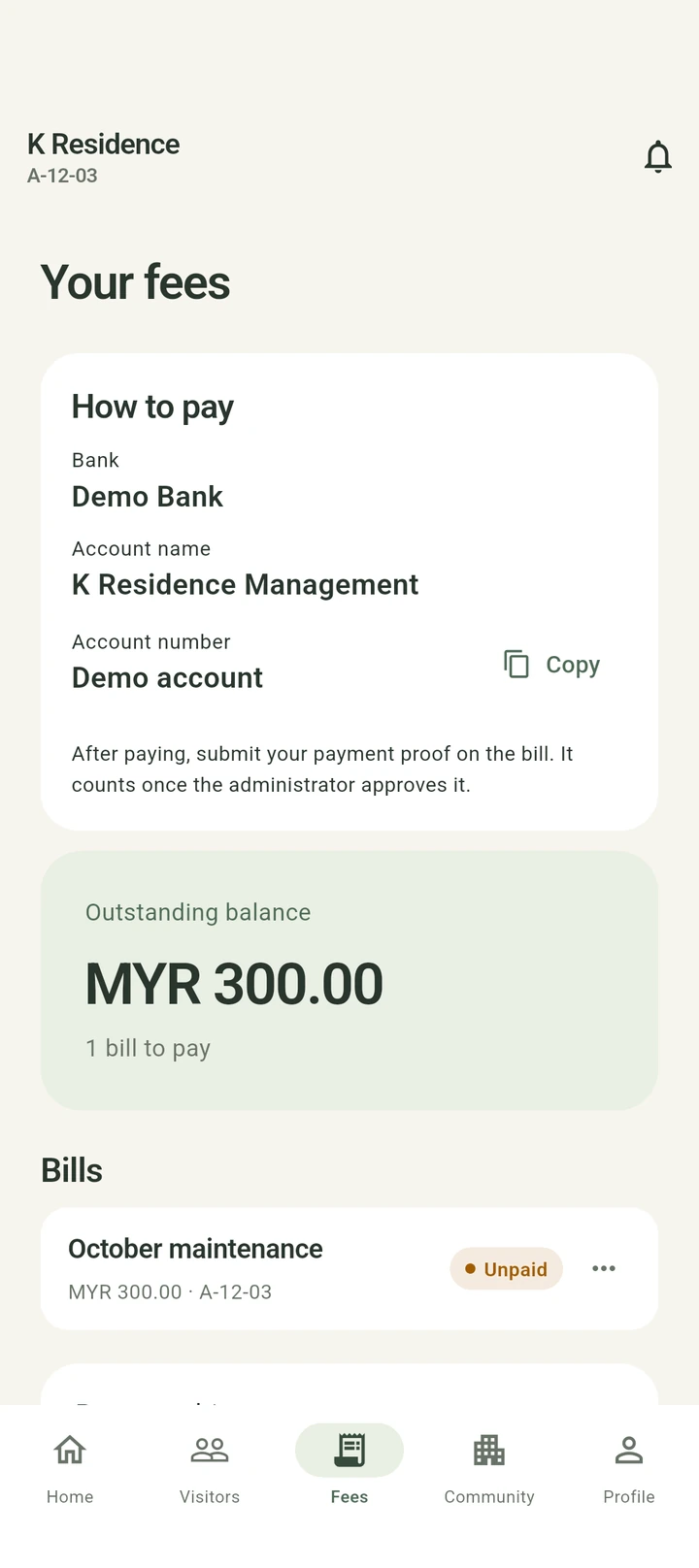
From a condo bill to an approved receipt.
K Facilities gives residents a balance view and management a payment review queue. Submitted proof is reviewed before the bill is marked paid.
Prepare the bills
Management sets rates and the billing cycle, then issues maintenance fee bills for the community’s properties.
Let residents see what is due
Residents can check outstanding balances, individual bills and due dates, alongside the community’s configured payment details.
Submit and review payment proof
The resident submits payment proof. Management searches the review queue and approves or rejects the submission.
Issue a PDF receipt
After approval, the bill is marked paid and a downloadable PDF receipt is generated. Residents can review their payment history.
A few things to know.
Is a bill paid as soon as proof is uploaded?
No. Management must approve the submitted payment proof before the bill is marked paid.
Does the app process bank payments?
The workflow shown here records bills and reviews payment proof. Residents follow the payment instructions configured by their community.
Can management find a particular submission?
Yes. The payment review page supports search by property, resident name, reference or amount, plus status filters and sorting.
A simpler day starts here.
Let’s find the right setup for your community.
Book a demoA quotation tailored to your community.
K Guard
NFC guard patrol system


Website, ERP, software and AI development, from idea to launch.